How to Start an Escrow Transaction on KRABIT
Starting an escrow on KRABIT is simple, and it keeps your deal safe. Follow these steps once you and the seller agree to move forward.
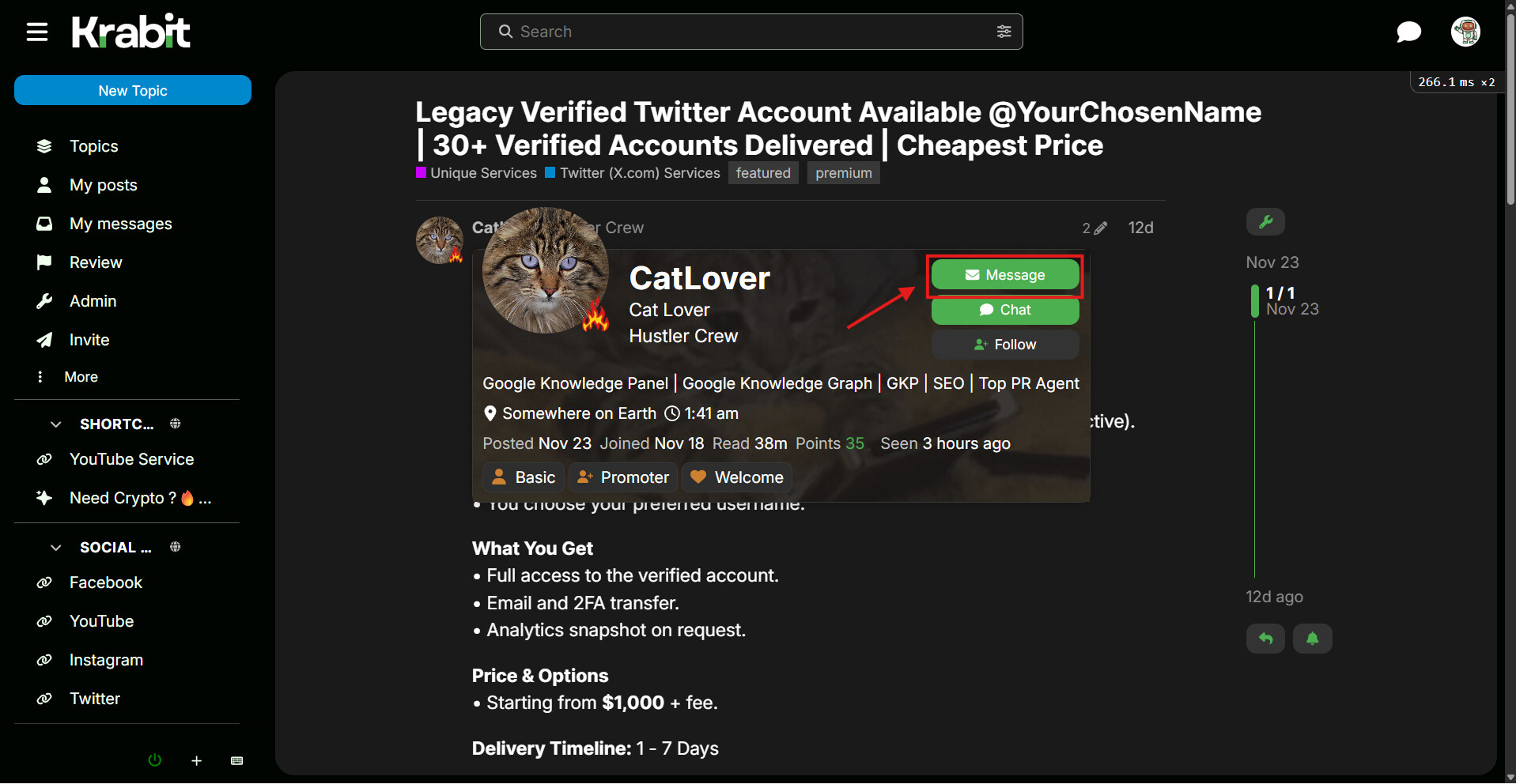
Step 1: Open the Seller’s Profile
Click on the seller’s avatar. A profile card will appear with a green Message button.
This is where you begin the private conversation.
Step 2: Send the Seller a Message
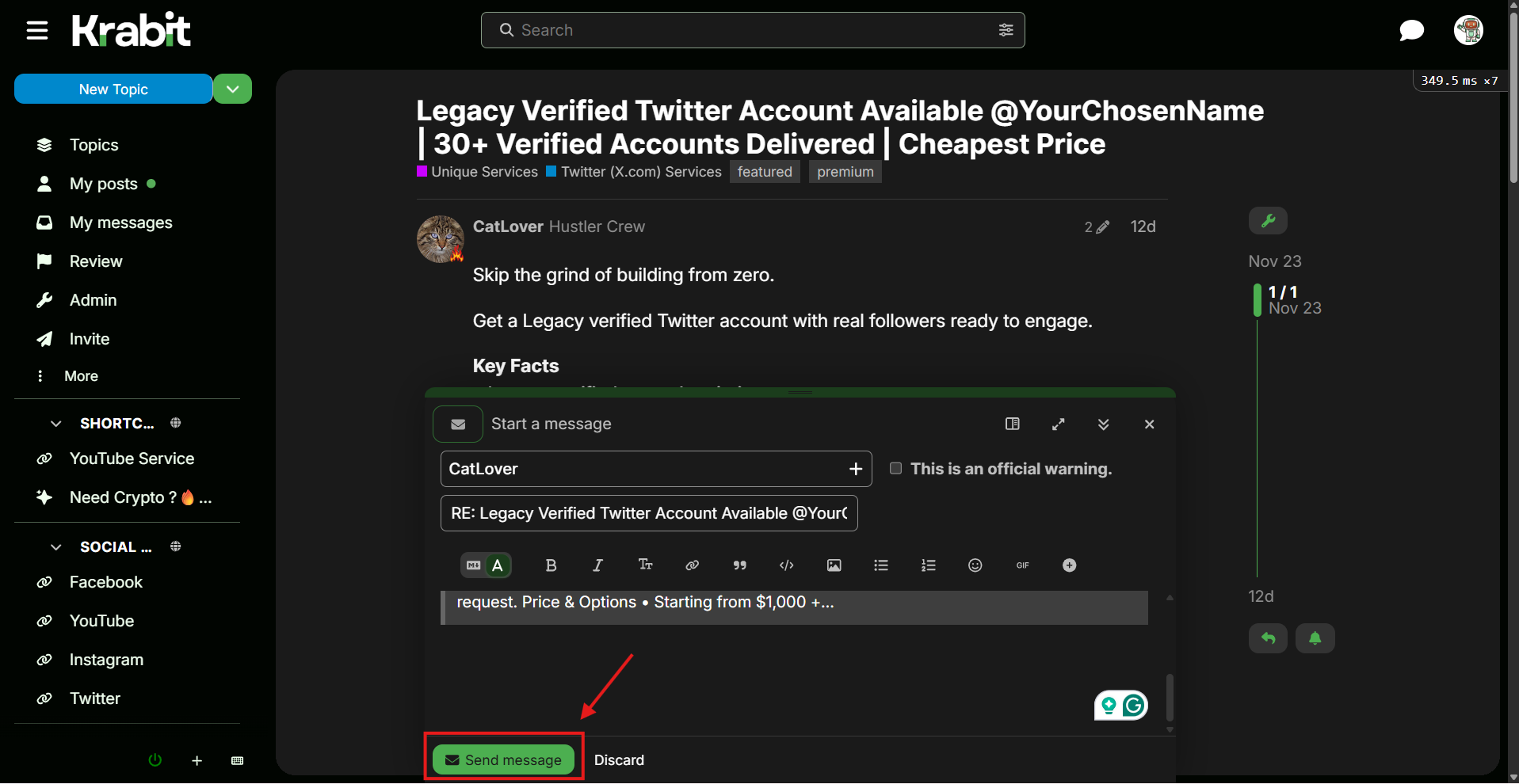
Tap the Message button. A message window opens at the bottom of your screen showing the seller’s username and a subject line.
This private message thread becomes the escrow room.
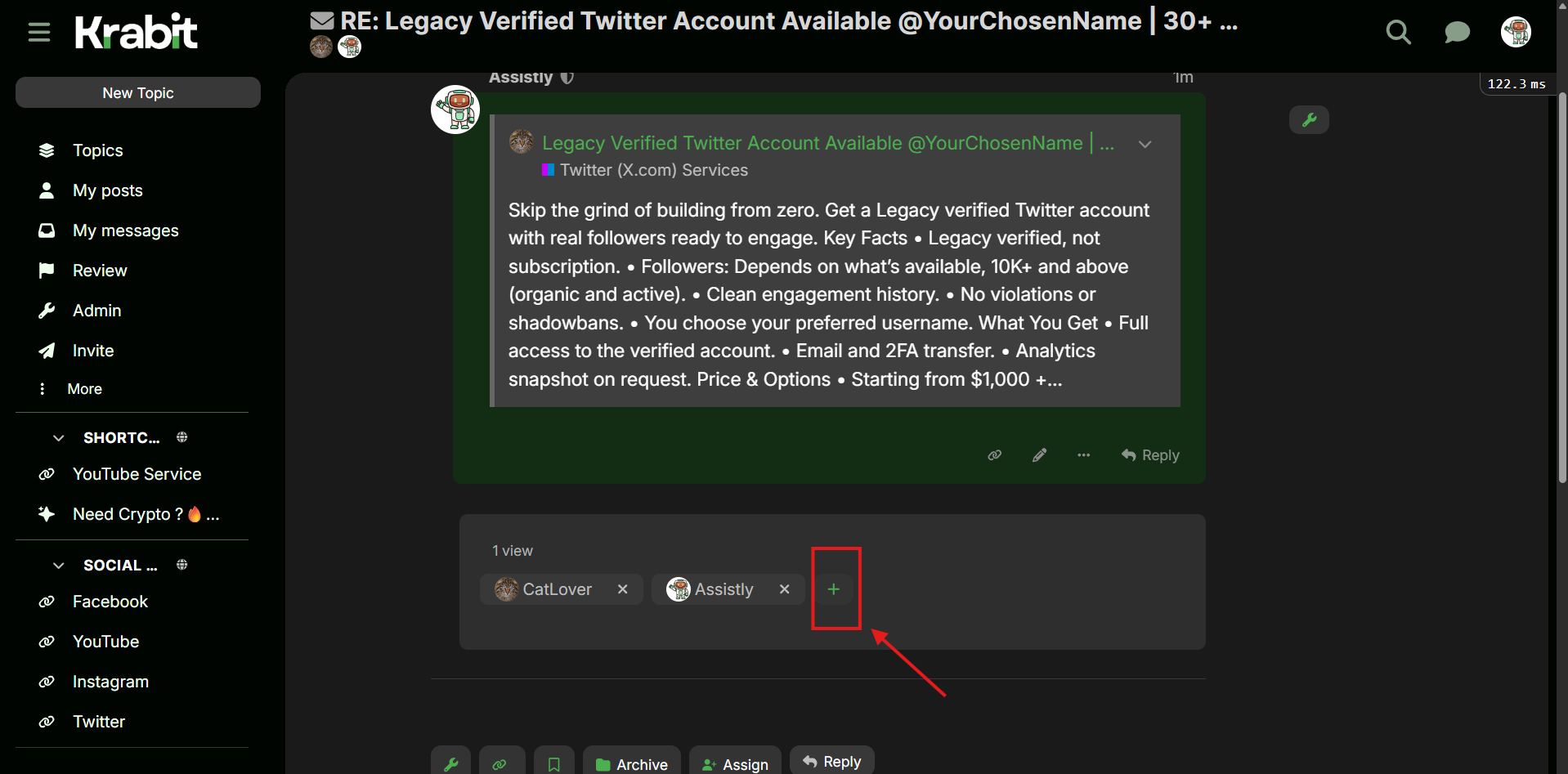
Step 3: Open the Participant Panel
Scroll down a little until you see the participant section. You will notice a green plus icon next to the usernames. Click the plus icon to add someone to the conversation.
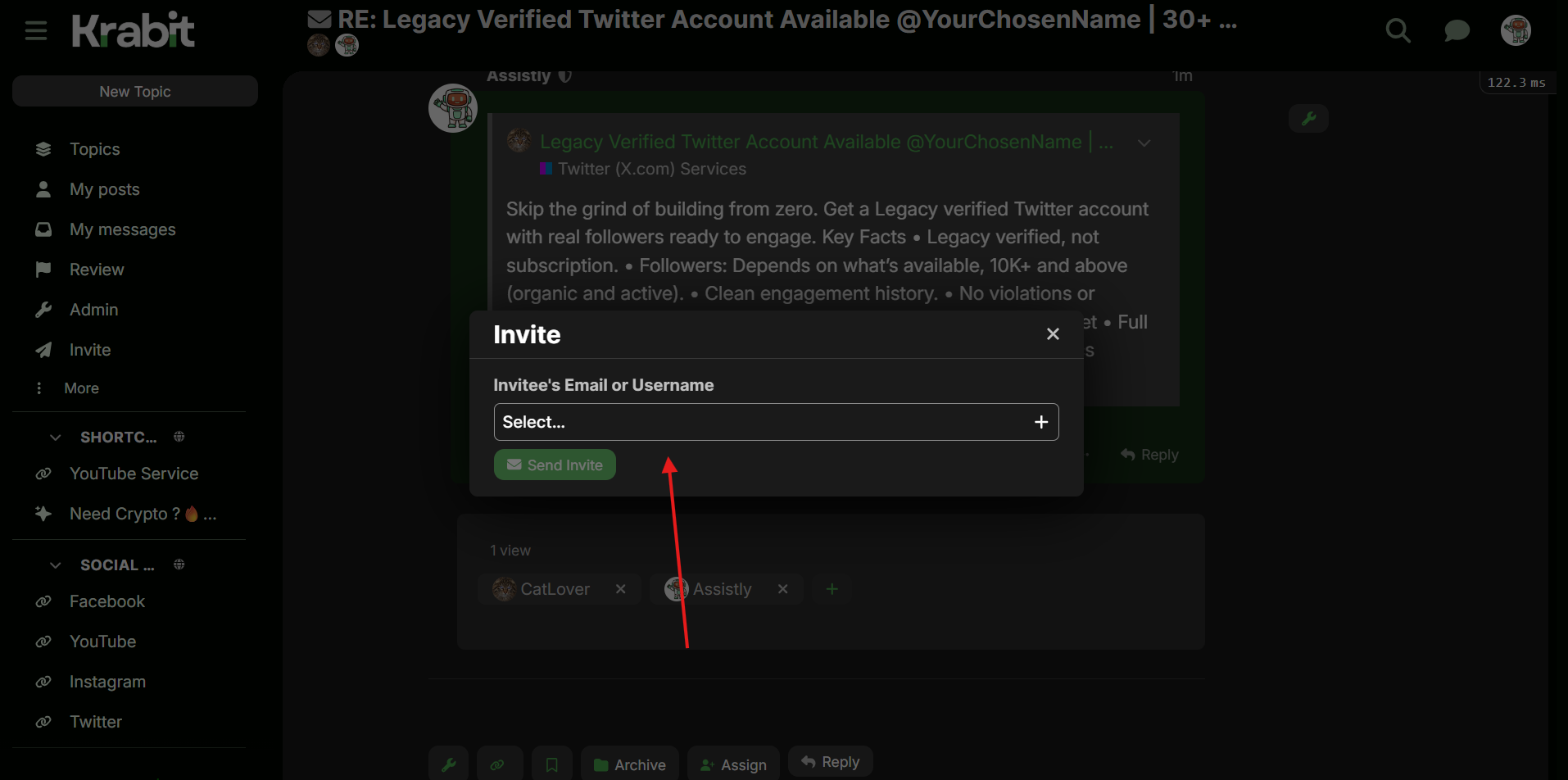
Step 4: Invite the Escrow Agent
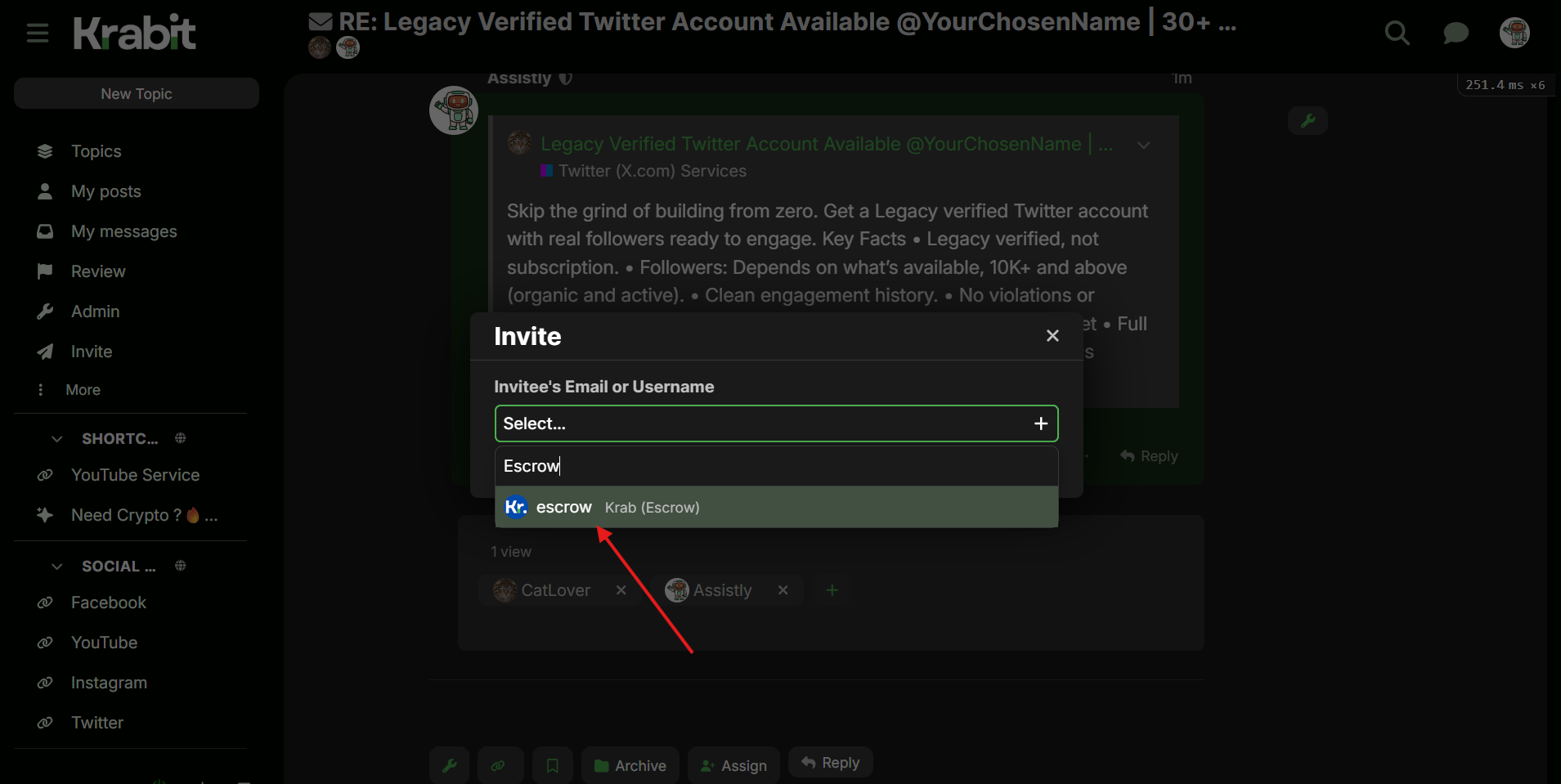
A small Invite window appears in the field labeled “Invitee’s Email or Username.” type @escrow
The system will instantly show KRAB (Escrow) as an option. Select it.
Step 5: Add Escrow to the Conversation
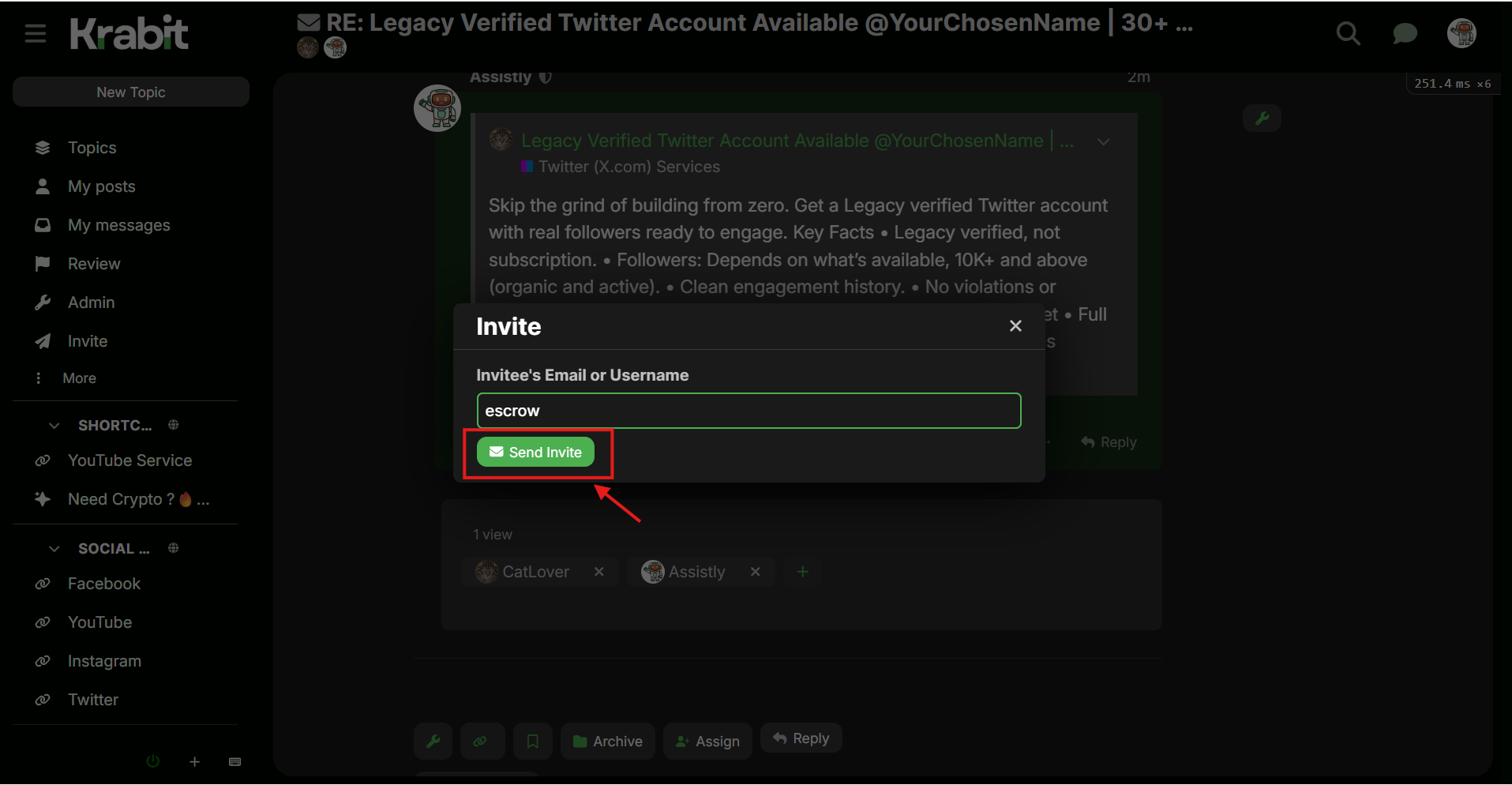
After selecting the escrow account, click the green Send Invite button. The escrow agent will appear in the participant list, meaning the transaction is now under supervision.
Step 6: Escrow Begins
Once @escrow joins the conversation, it monitors the transaction, guides both sides, confirms payment, checks delivery, and releases funds when everything is completed.
By following these steps, you create a controlled and safe space for your deal.
The escrow agent keeps both parties accountable, protects payments, and ensures every transaction runs smoothly from start to finish.